A 12-second clip
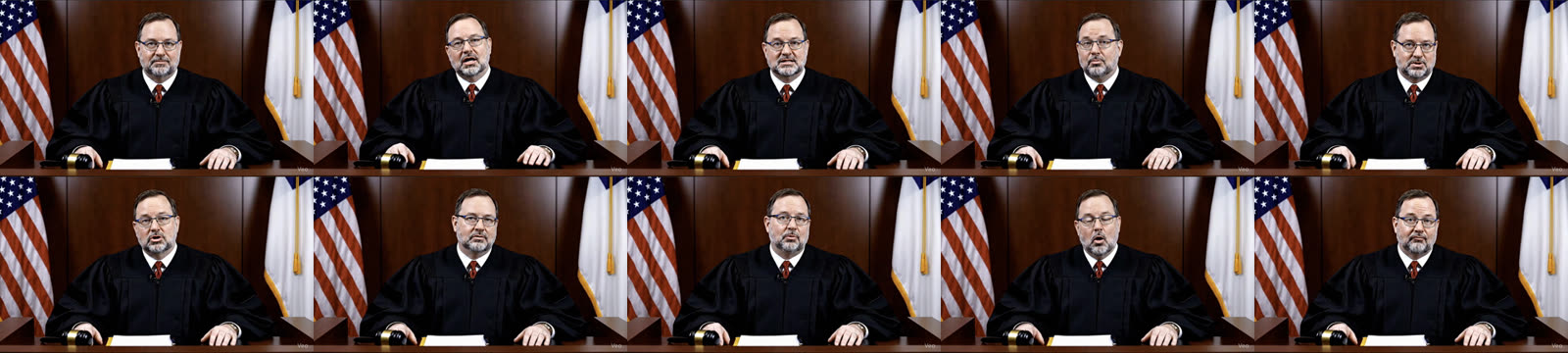
AI-generated. The judge is a fictional character. The small “Veo” mark in the corner comes from the model.
The problem
A client asked for a promotional video made with AI, and it had to look real. AI video models can look convincing for eight seconds. Then the face, the room or the light shifts in the next clip.
The video needed one person, one room and one camera across every scene. Only the words could change.
What I built
- Three locked blocks of data. One describes the character in detail: face, skin, hair, glasses, robe. One describes the room: bench, flags, lighting, camera. One holds the script.
- Only the script changes. Every scene sends the same character and room, plus one new line of dialogue.
- A small Python script. It sends each scene to Veo 3 on Google Vertex AI with a reference image and a fixed seed. It waits for the job and saves the clip.
- Human editing. I assembled and cut the scenes in CapCut into the final video.
What came out
The judge, the room and the lighting stay the same for the whole video. Here are 10 frames from across the final cut.
Notes
Limits
The person is fictional and the video is AI-generated. I have no measured results for how the video performed. The model’s mark stays visible in the corner.